

Setup
1
Download the AI App
Free Windows installer from gamerhash.com.
2
Log in
Email or Google sign-in. If you don’t have an account yet, it’s created on first run.
3
Switch on the Earning module
Enable it inside the app; the components it needs download automatically.
4
Download a model pack
Basic to get started, or Full for the complete set of models.
5
Leave the machine running
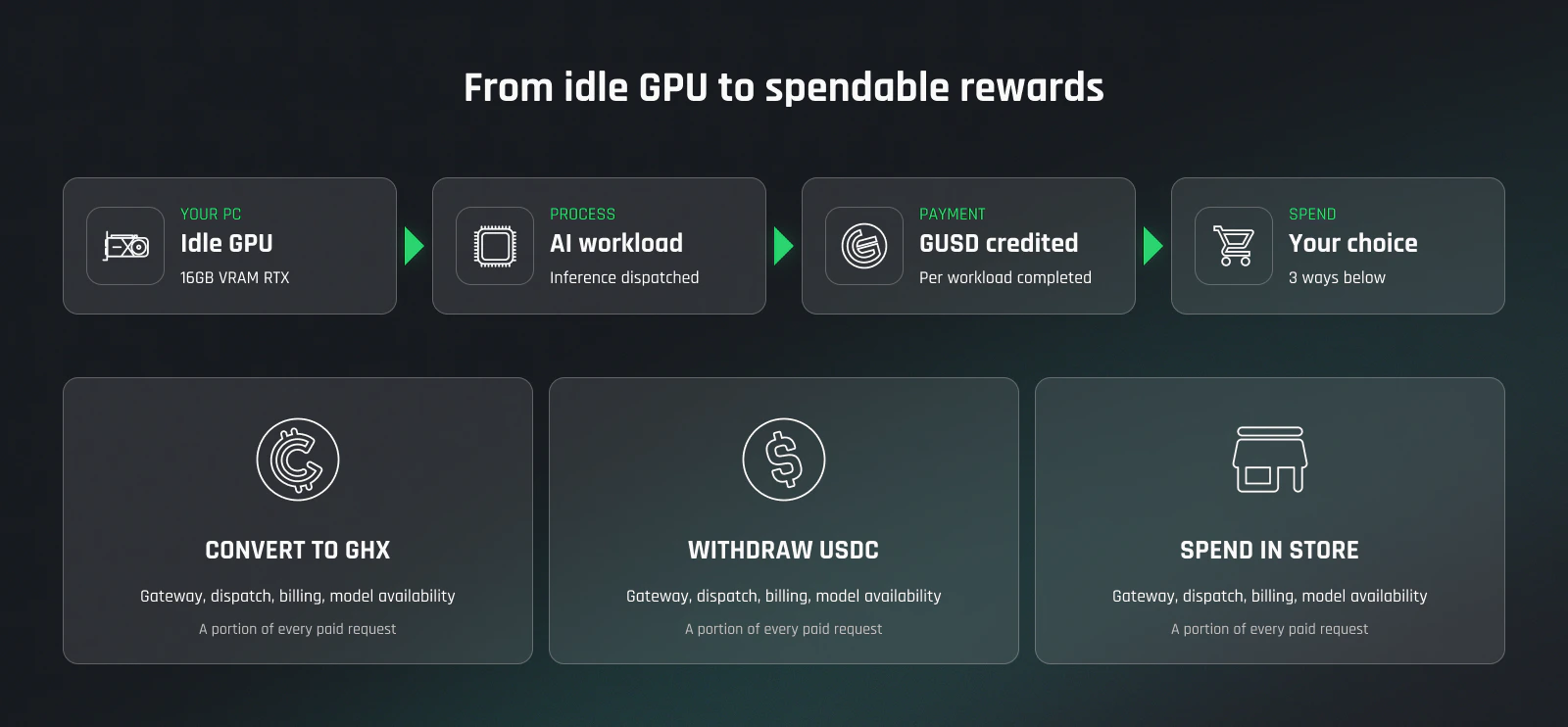
While you’re online, the network sends jobs that fit your GPU, and GUSD is credited as each one finishes.
What affects your earnings
- Your hardware. The earning module needs 24 GB VRAM with 32 GB RAM, or 16 GB VRAM on an Ada-or-newer card with 64 GB RAM. See hardware requirements.
- Time online. A job can only land on your machine while the app is running, which is why the whole setup is switch it on and leave it alone.
- Demand on the network. Payouts come out of what the network sells: per-request billing for compute, direct AI partnerships, and Store margin. That revenue funds two things — payouts to the people sharing GPU power, and running the platform. Payouts are funded by revenue for compute, not by token emissions. More in Business model.
- Activity points (GHXP). Points accrue every minute the app runs, even when there’s no work in the queue for you. Holding GHX — in MetaMask or in your in-app GHX wallet, under the same account — raises your account level, and a higher level accrues points faster, up to a cap; nothing is locked or staked. Points decide where you place in the season ranking. They do not change what a single job pays.
Seasons run monthly. Inside the app you lock up to 80% of the activity points you’ve accumulated; how much you lock ranks you against everyone else taking part, and every place in the ranking carries a defined GHX reward, paid out once the month closes. There is no fixed rate per point — your reward follows your place. The GHX is provided by GamerCoin under a cooperation arrangement and is not funded from platform revenue. Full mechanic: activity points and seasons.
Three ways to use your balance
Spend it in the Store
600+ digital items — games, Steam keys, gift cards, prepaid codes. Pay with your balance (GUSD), GHX, or BTC.
Withdraw as USDC
To any BNB Chain address: your Binance deposit address, MetaMask on BSC, or any BEP-20 wallet. No GamerHash fee.
Withdraw as GHX
Onchain on Ethereum, BNB Chain, or Solana. What you do with GHX afterwards is documented at GamerCoin: docs.gamercoin.com ↗
You pick the asset when you withdraw — the same balance goes out as USDC or as GHX. Anything that leaves the platform leaves in crypto, to a wallet address you control. There is no payout to a bank account.
What this is not
- Not mining. No proof of work, no hash rates, no algorithm tuning — your GPU runs AI jobs for the network.
- Not crypto trading. You’re paid in GUSD, an internal earnings balance counted 1:1 with the dollar inside the platform — not a token, not a stablecoin. Taking it out in GHX is one of three options, not something you have to do to get paid.
- Not a bank payout. Withdrawals are in crypto only: USDC or GHX to a wallet address.
- Not guaranteed. What you earn depends on demand on the network. There is no fixed or promised rate.
Getting more out of it
- Leave the app running when you’re not using the machine. It can only take a job while it’s on.
- Don’t close it mid-hour. Activity points show as Pending during the hour and are credited at the top of each hour; closing the app before the hour ends drops that hour’s pending points. Running in the background counts.
- Points accrue faster at a higher account level, and level follows the GHX you hold in MetaMask or in your in-app GHX wallet, up to the cap. Balances in both wallets count together.
- Lock your GHXP before the month closes — that’s what places you in the season ranking. The ceiling is 80% of what you’ve accumulated.
- Keep the app and your NVIDIA driver up to date.
Next
Hardware requirements
AI READY vs AI OPTIMAL — what your GPU qualifies for.
Earn with GPU sharing
The setup walkthrough, plus what to check when no jobs arrive.
GamerHash Store
What your balance actually buys.
Wallets
What sits in your account, and how each balance leaves it.
Privacy
What’s transmitted, what’s logged, what stays on your machine.