> ## Documentation Index
> Fetch the complete documentation index at: https://docs.gamerhash.com/llms.txt
> Use this file to discover all available pages before exploring further.
# Hardware requirements
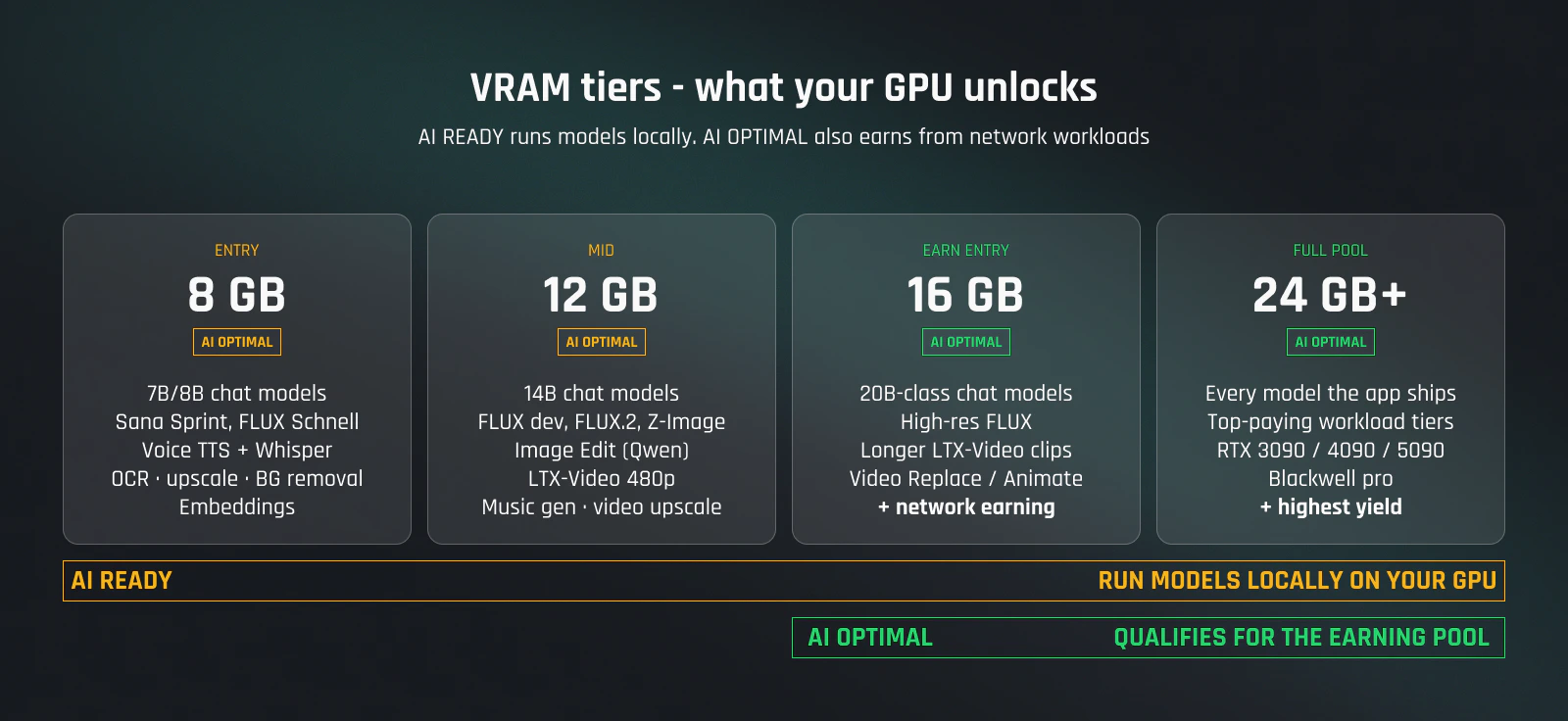
> Two badges, two bars — AI READY for running models locally, AI OPTIMAL for earning by sharing GPU power.
export const Win = () => Windows;
The AI App has two distinct use cases, and they have different hardware bars:
* **AI READY** — run AI models locally (chat, image, video, voice) on your own GPU.
* **AI OPTIMAL** — also accept network earning workloads to your machine and get paid in GUSD.
 Check your exact rig against both badges in the official [GamerHash profit calculator](https://gamerhash.com/en/calculator) before you buy.
## AI READY — run models locally
Lower bar. If you can run modern AAA games at 1080p, you can run local AI.
* **OS** — 10 (22H2+) or 11
* **GPU** — NVIDIA RTX with **8 GB+ VRAM** (RTX 3060, 4060, 5060 and up)
* **RAM** — 16 GB
* **CPU** — modern x86-64 (Intel 8th gen / AMD Ryzen 2000 or newer)
* **Driver** — recent NVIDIA studio or game-ready driver
* **Disk** — \~30 GB free for downloaded models
The more VRAM you have, the bigger the local model you can load:
| VRAM | Modules unlocked |
| ---------- | ----------------------------------------------------------------------------------------------------------------------------------------------- |
| **8 GB** | AI Chat (7B/8B quantized), Sana Sprint, FLUX.1 Schnell, voice (TTS + Whisper transcription), OCR, image upscale, background removal, embeddings |
| **12 GB** | 14B chat models, FLUX dev / FLUX.2 / Z-Image-Turbo at higher resolutions, image edit, LTX-Video 480p, video upscale, music generation |
| **16 GB+** | 20B-class chat models, high-res FLUX, longer LTX-Video clips, video replace / animate |
| **24 GB+** | Full Model Center access — every model the app ships |
The Model Center inside the app shows live fit per model on your specific hardware.
## AI OPTIMAL — earn from GPU sharing
Higher bar. Earning starts at **16 GB VRAM** — anything below that is AI READY only.
Everything in **AI READY**, plus:
* **GPU** — NVIDIA RTX with **16 GB+ VRAM** (RTX 4060 Ti 16 GB, RTX 4070 Ti Super, RTX 4080 / 5080, RTX 4090 / 5090, Blackwell pro)
* **RAM** — **32 GB minimum**, more is better. Concurrent workloads benefit from larger system memory.
* **Network** — stable broadband (50 Mbps down comfortable). Earning workloads stream small payloads — consistency matters more than peak speed.
* **Uptime** — leave the machine on. Most pay comes from being online when a workload arrives.
The more VRAM, the higher-paying workload tiers you qualify for:
| VRAM | Earning workload pool |
| ---------- | ----------------------------------------------- |
| **16 GB** | Entry tier — video and 20B-class chat workloads |
| **24 GB+** | Full earning pool, top-paying tiers |
The [profit calculator](https://gamerhash.com/en/calculator) gives you a per-GPU yield estimate based on current network demand.
## What's not supported
* **AMD GPUs** — NVIDIA only in the AI App today.
* **macOS / Linux** — AI App is Windows-only. The [Mobile app](/apps/mobile) on iOS/Android handles account management, not local AI.
* **iGPUs** — integrated graphics don't have enough VRAM.
* **Multi-GPU per machine** — the AI App uses a single GPU per process. Multi-machine is fine; GHXP and earnings consolidate per account.
## Upgrading the GPU
Swap GPUs without recreating your account. On next start, the AI App detects the new card and re-runs its benchmark — typically a couple of minutes. GHXP, account level, and earning history all carry over. Workloads matched to the new card take effect from the next dispatch.
## Tips before you buy
* **Run your exact rig through the [profit calculator](https://gamerhash.com/en/calculator)** before spending. Both badges (AI READY / AI OPTIMAL) are checked there.
* **For AI OPTIMAL, prioritize VRAM over clocks.** 16 GB is the entry threshold — a 16 GB 4060 Ti qualifies for the earning pool, an 8 GB 4070 doesn't.
* **Used 30-series cards** can be cheap entry to AI READY (3060/3070 at 8–12 GB). For AI OPTIMAL on used hardware, only the **RTX 3090 (24 GB)** clears the bar — and check warranty, sustained load is harder on cards than gaming.
* **Check live network demand** at [network stats](/ai/stats). A bigger GPU only pays more if there are workloads in the queue for it.
## Next
Match modules to what your GPU can run.
What workloads pay more, and how to read the queue.
Current GPU count, VRAM, and capacity across the network.
Step-by-step from download to first run.
Check your exact rig against both badges in the official [GamerHash profit calculator](https://gamerhash.com/en/calculator) before you buy.
## AI READY — run models locally
Lower bar. If you can run modern AAA games at 1080p, you can run local AI.
* **OS** — 10 (22H2+) or 11
* **GPU** — NVIDIA RTX with **8 GB+ VRAM** (RTX 3060, 4060, 5060 and up)
* **RAM** — 16 GB
* **CPU** — modern x86-64 (Intel 8th gen / AMD Ryzen 2000 or newer)
* **Driver** — recent NVIDIA studio or game-ready driver
* **Disk** — \~30 GB free for downloaded models
The more VRAM you have, the bigger the local model you can load:
| VRAM | Modules unlocked |
| ---------- | ----------------------------------------------------------------------------------------------------------------------------------------------- |
| **8 GB** | AI Chat (7B/8B quantized), Sana Sprint, FLUX.1 Schnell, voice (TTS + Whisper transcription), OCR, image upscale, background removal, embeddings |
| **12 GB** | 14B chat models, FLUX dev / FLUX.2 / Z-Image-Turbo at higher resolutions, image edit, LTX-Video 480p, video upscale, music generation |
| **16 GB+** | 20B-class chat models, high-res FLUX, longer LTX-Video clips, video replace / animate |
| **24 GB+** | Full Model Center access — every model the app ships |
The Model Center inside the app shows live fit per model on your specific hardware.
## AI OPTIMAL — earn from GPU sharing
Higher bar. Earning starts at **16 GB VRAM** — anything below that is AI READY only.
Everything in **AI READY**, plus:
* **GPU** — NVIDIA RTX with **16 GB+ VRAM** (RTX 4060 Ti 16 GB, RTX 4070 Ti Super, RTX 4080 / 5080, RTX 4090 / 5090, Blackwell pro)
* **RAM** — **32 GB minimum**, more is better. Concurrent workloads benefit from larger system memory.
* **Network** — stable broadband (50 Mbps down comfortable). Earning workloads stream small payloads — consistency matters more than peak speed.
* **Uptime** — leave the machine on. Most pay comes from being online when a workload arrives.
The more VRAM, the higher-paying workload tiers you qualify for:
| VRAM | Earning workload pool |
| ---------- | ----------------------------------------------- |
| **16 GB** | Entry tier — video and 20B-class chat workloads |
| **24 GB+** | Full earning pool, top-paying tiers |
The [profit calculator](https://gamerhash.com/en/calculator) gives you a per-GPU yield estimate based on current network demand.
## What's not supported
* **AMD GPUs** — NVIDIA only in the AI App today.
* **macOS / Linux** — AI App is Windows-only. The [Mobile app](/apps/mobile) on iOS/Android handles account management, not local AI.
* **iGPUs** — integrated graphics don't have enough VRAM.
* **Multi-GPU per machine** — the AI App uses a single GPU per process. Multi-machine is fine; GHXP and earnings consolidate per account.
## Upgrading the GPU
Swap GPUs without recreating your account. On next start, the AI App detects the new card and re-runs its benchmark — typically a couple of minutes. GHXP, account level, and earning history all carry over. Workloads matched to the new card take effect from the next dispatch.
## Tips before you buy
* **Run your exact rig through the [profit calculator](https://gamerhash.com/en/calculator)** before spending. Both badges (AI READY / AI OPTIMAL) are checked there.
* **For AI OPTIMAL, prioritize VRAM over clocks.** 16 GB is the entry threshold — a 16 GB 4060 Ti qualifies for the earning pool, an 8 GB 4070 doesn't.
* **Used 30-series cards** can be cheap entry to AI READY (3060/3070 at 8–12 GB). For AI OPTIMAL on used hardware, only the **RTX 3090 (24 GB)** clears the bar — and check warranty, sustained load is harder on cards than gaming.
* **Check live network demand** at [network stats](/ai/stats). A bigger GPU only pays more if there are workloads in the queue for it.
## Next
Match modules to what your GPU can run.
What workloads pay more, and how to read the queue.
Current GPU count, VRAM, and capacity across the network.
Step-by-step from download to first run.